Remote work
Reach your office or home PC from any laptop, tablet, or browser. Your files never leave your machine.
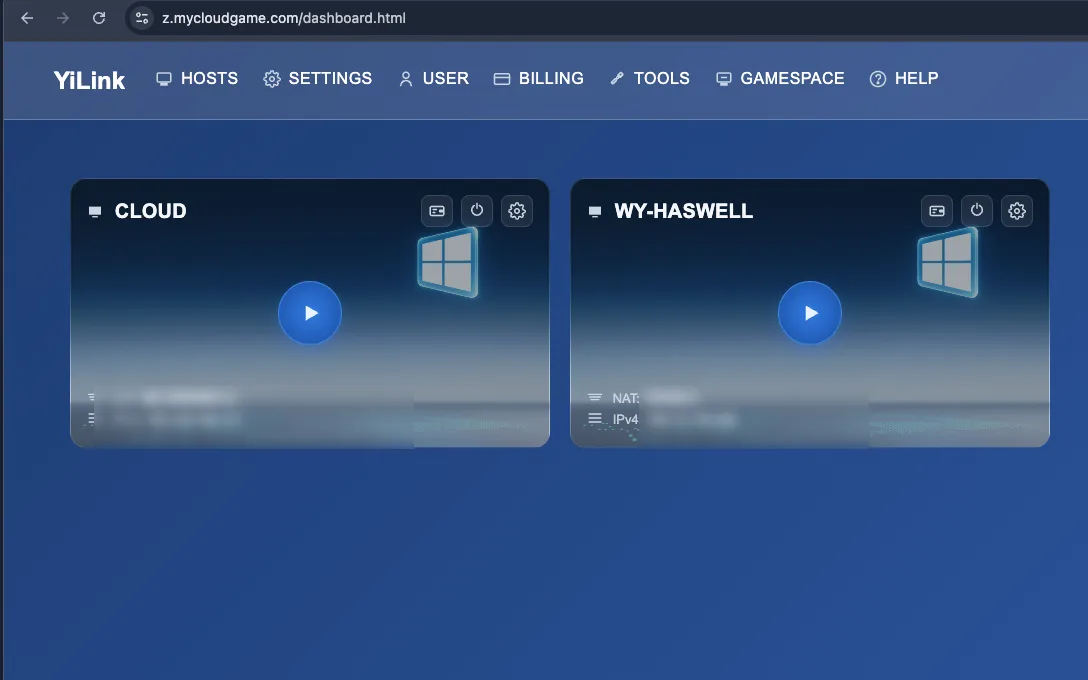
FREE · P2P · NO INSTALLS
Bring your Windows PC to any screen. Just send a link — recipients open it and play. No install, no sign-up.
Or install YiLink as an app: add it to your home screen for an app-like icon.
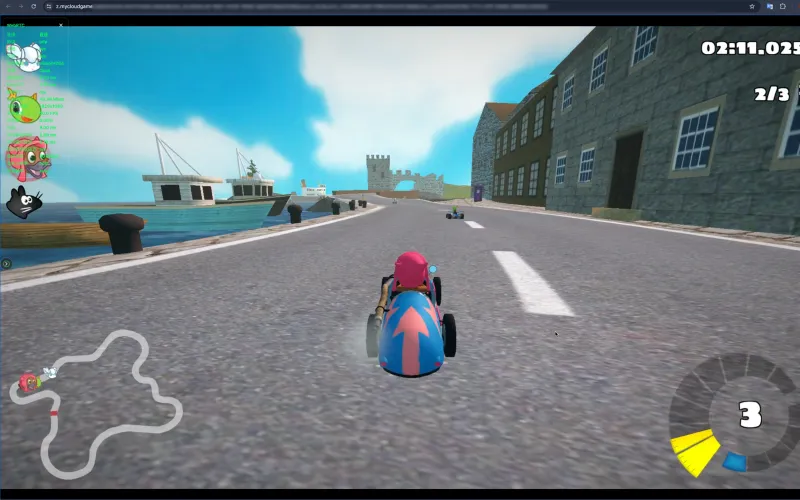
Game: SuperTuxKart · free & open source (GPL / CC BY / CC BY-SA)
One host app on your PC. Every device you own becomes a window into it.
Reach your office or home PC from any laptop, tablet, or browser. Your files never leave your machine.
Play your PC game library from the couch, a hotel, or a friend's place. Low latency over P2P.
Open a link on your phone and your PC is there. Touch controls and gamepad support included.
Send a link and a friend joins your screen or a single app. Temporary shares are free, always.
GAMESPACE · FOR DEVELOPERS
YiLink lets players click and play. Gamespace puts your game in front of them. Your game runs on your own hosts, becomes one playable link, and goes into ads, posts, and store pages — players click and play, and head to your store when they want more.
Learn about GamespaceMore players mean better conversion for developers. More games mean more to play.
A player opens your playable link — in-game in seconds, no download.
Your game runs on your own Windows hosts, connected to YiLink edge nodes.
Drop the link into your ads, posts, and store pages.
When players want more, they head to your store page — every step is measurable.
Two ways to use YiLink. Pick the one that fits.
QUICK SHARE · NO SIGN-UP
On your Windows PC. No account needed.
The host shows a link and QR code.
They open the link, even inside WeChat or Telegram, and play. No install, no sign-up for them either.
YOUR PC, EVERYWHERE · SIGN IN
Install the host, create an account, sign in on the host.
Open any browser, log in, and your online hosts are listed.
Tap a host and control it. No share links needed.
No. The YiLink client runs entirely in the browser. Open a share link on any modern browser and you are connected.
A Windows PC running the free YiLink host app. Sign-in is optional: skip it for instant one-off shares, or sign in to keep your hosts listed under your account.
Latency depends on network round-trip time and encoding. On a LAN it is typically under 5 ms; same-city connections are usually under 20 ms.
Yes. Standard gamepads work through the browser's Gamepad API, and keyboard and mouse input is forwarded with pointer lock support for games.
Everything for personal use: P2P streaming, relays, multiple devices, and temporary shares of your screen or an app. Gamespace subscriptions cover permanent, commercial sharing for game developers.
Streams go peer to peer by default and are encrypted with SRTP/DTLS. When a relay is needed, traffic stays encrypted end to end; the relay cannot see your content.
Quick shares need no account. Sign in only to keep your hosts listed under your account.
Yes. Open the YiLink web client and use your browser's "Add to Home Screen": you get a home-screen icon that opens like a native app. Works on Android and iOS.